Hi!
It has been a good while since my last post about my NAS, so I want to share an update on how things are looking nowadays.
Filesystem
I won’t get into details here, but I’m out of BTRFS. The filesystem did not fail on me and thankfully I didn’t lose any data, but suffice to say that BTRFS does not like when you shuffle snapshots to a different system, transform them into live subvolumes, change stuff, snapshot them, and move them back into the old system.
After the third time syncing full disks, I gave up and went back to OpenZFS. It also helped I already had my new Travel NAS and it had substantially better performance to pull this off.
Travel NAS
In some situations I travel with a smaller machine to serve as my NAS while I am abroad for an extensive time (several weeks) and still want to have access to my data. I had been using a Raspberry PI 5 for this purpose, but in 2025 I purchased a Dell Optiplex 7050 MFF for around €150:
Specs:
- CPU: Intel i7-6700 (4c/8t, 8MB cache, 3.4/4.0GHz)
- Memory: 2x8GB DDR4 2400MHz (SO-DIMM)
- Storage: 256GB SSD (2280 NVMe)
- Ethernet, WiFi AC
- Weight: 1.18kg (+ laptop-format power brick)
While it’s a lot heavier than the Pi 5, it was significantly more powerful (almost doubling in Geekbench 6), but still light enough to take in your backpack through airport security.
I replaced the storage with two 2TB SSDs (one SATA, one NVMe), but I had to carve a 25GB partition for the OS, as I couldn’t fit a third SSD. I managed to get the power consumption down to 6.2W with both SSDs, although it took me a while to find out that the Kingston Fury Renegate G4 was consuming 4W without even being mounted. While the machine works fine, but because of the small volume, thermals are terrible during high load:
Fortunately my workloads are quite light during day-to-day operations, so I tuned the fans with i8kutils and made it my main NAS for a couple of months, then I travelled with it and came back, and it all went OK, the Wi-Fi even allowed me to provide a makeshift Pi-Hole for my phone in places I couldn’t manage the network stack.
And then, right around coming back from travels, I hit 90% disk utilization, so I went looking for an upgrade.
New (old) machine
At this time DDR5 prices had already skyrocketed, but that had not yet happen to DDR4, so I bought a Lenovo ThinkStation P320 Tower for around €120:
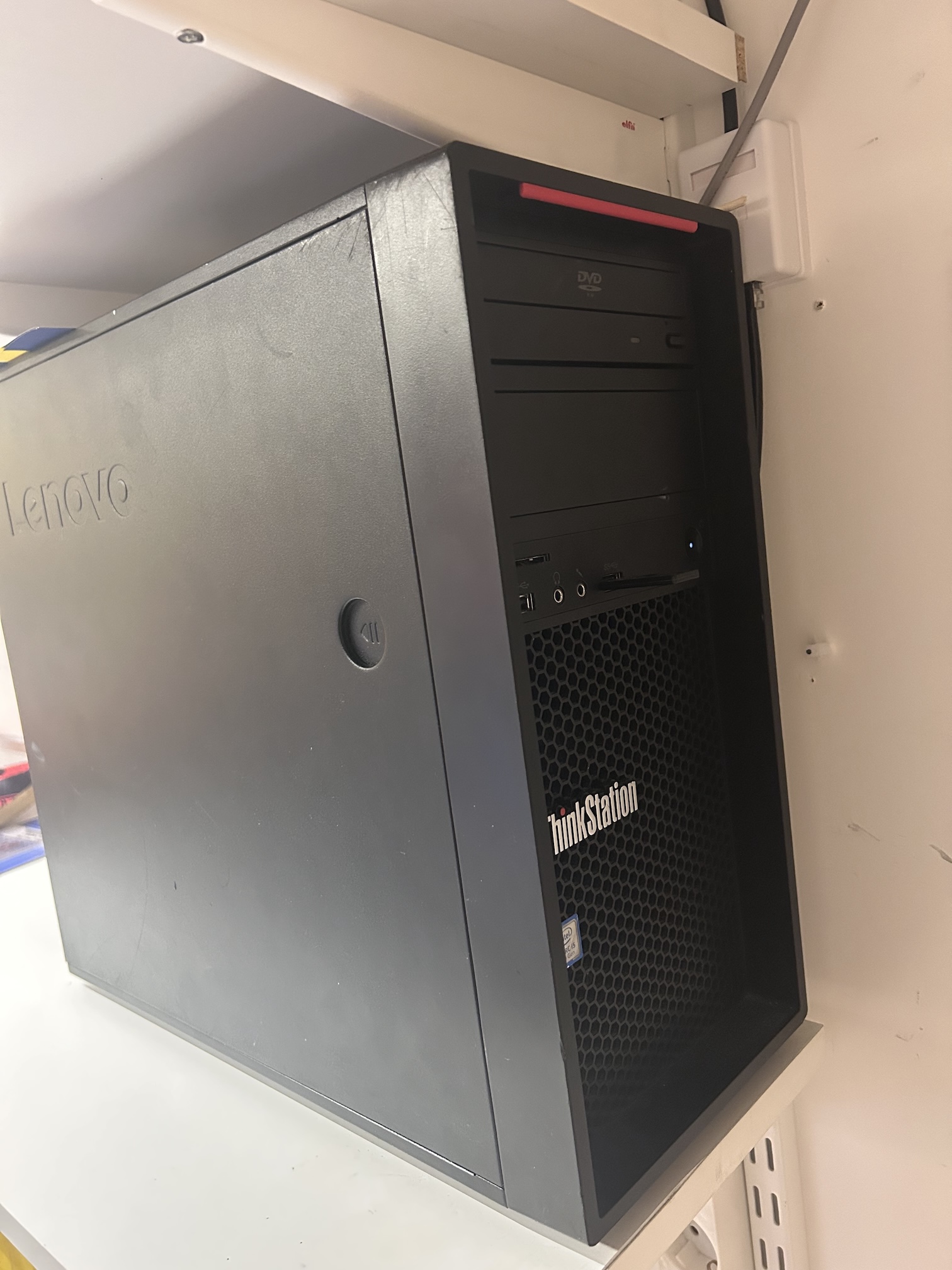
Specs:
- CPU: i5-7400 (4c/4t, 6MB cache, 3.0/3.5GHz)
- Memory: 2x8GB DDR4 2133MHz (plus two empty slots)
- Storage: 2TB Seagate Barracuda HDD (3.5" SATA) + 256GB Sandisk SSD (2.5" SATA)
- NVIDIA Quadro P600 (2GB VRAM)
On paper the performance is slightly worse than the Travel NAS, but it’s a full tower, so thermals are greatly improved and I have space for 3.5" HDDs. The motherboard also supports some Kaby Lake Xeons and ECC unbuffered RAM, although I haven’t found a good deal yet.
The space also afforded me to organize storage in a way that doesn’t feel like a hack job, so now I have:
- 256GB SanDisk SSD 2.5" SATA, for the OS;
- 2TB WD Purple HDD 3.5" 5400rpm, for media;
- 2TB Kingston Fury SSD NVMe, for data (RAID 1);
- 2TB Samsung EVO 870 SSD 2.5" SATA, for data (RAID 1);
I had its original 2TB Seagate Barracuda spinning in this machine 24/7 for a few months until I purchased the (second hand) WD Purple, but now it is offline and used as a backup for media. I don’t really need media backup, all the data I have comes from ripping DVDs, but my collection has grown significantly that I decided to pay to avoid ripping over 600 (!!!) DVDs again.
The NVIDIA Quadro did some video transcoding for a while, but I’ve since removed it. I managed to get ErsatzTV to use it, just in time for the project to be archived, and I did not have the same success with Jellyfin. CPU transcoding is good enough for my needs and it also saves a couple of Watts on idle.
What I wasn’t expecting from this machine is the power consumption: a full ATX system, three SSDs and a whole 3.5" HDD spinning, and it only pulls 16W in idle. I confess I didn’t consider the power consumption until after I purchased the machine, I was even considering making it a second NAS just for my media (and maybe some CI) that I’d use either Wake on LAN or a smart plug to power it on as needed, but after testing I made the call to just use it as the main machine.
The old NAS
Despite having a broken screen hinge now, the old Dell i3 laptop is still around! It has a couple of cheap SSDs on it and I use it to backup the main machine. I boot it on only once a month to sync and scrub data, but in pinch, it can become the main NAS again within just a couple of hours to sync deltas.
Outro
While those changes gave me some breathing room, there won’t be long before I’ll need more. The media HDD has about 200GB free, so in hindsight I should’ve looked for a 4TB disk when I bought the WD Purple.
Thank you.